
Redesigning Udemy: Increasing Course Completion Through a Quiz Rewards System
A UX case study for Udemy that turns passive course progress into a more engaging and rewarding learning experience
My Role : Lead WEB & Mobile UI/UX Design, Information Architect
Team : 3 Member
Duration: 1.3 Month
Volunteer : Udemy CO- Design Event
Tools & Responsibilities: UX Research, Information Architecture, User Flows, Wireframing, Prototyping, Usability Testing UI/UX Design / Information Architecture & Content Strategy Dev offs/ Navigation bar Layouts / Labeling/ LO-FI, HI-FI Wireframing/ Prototyping/ UX Research / User Testing
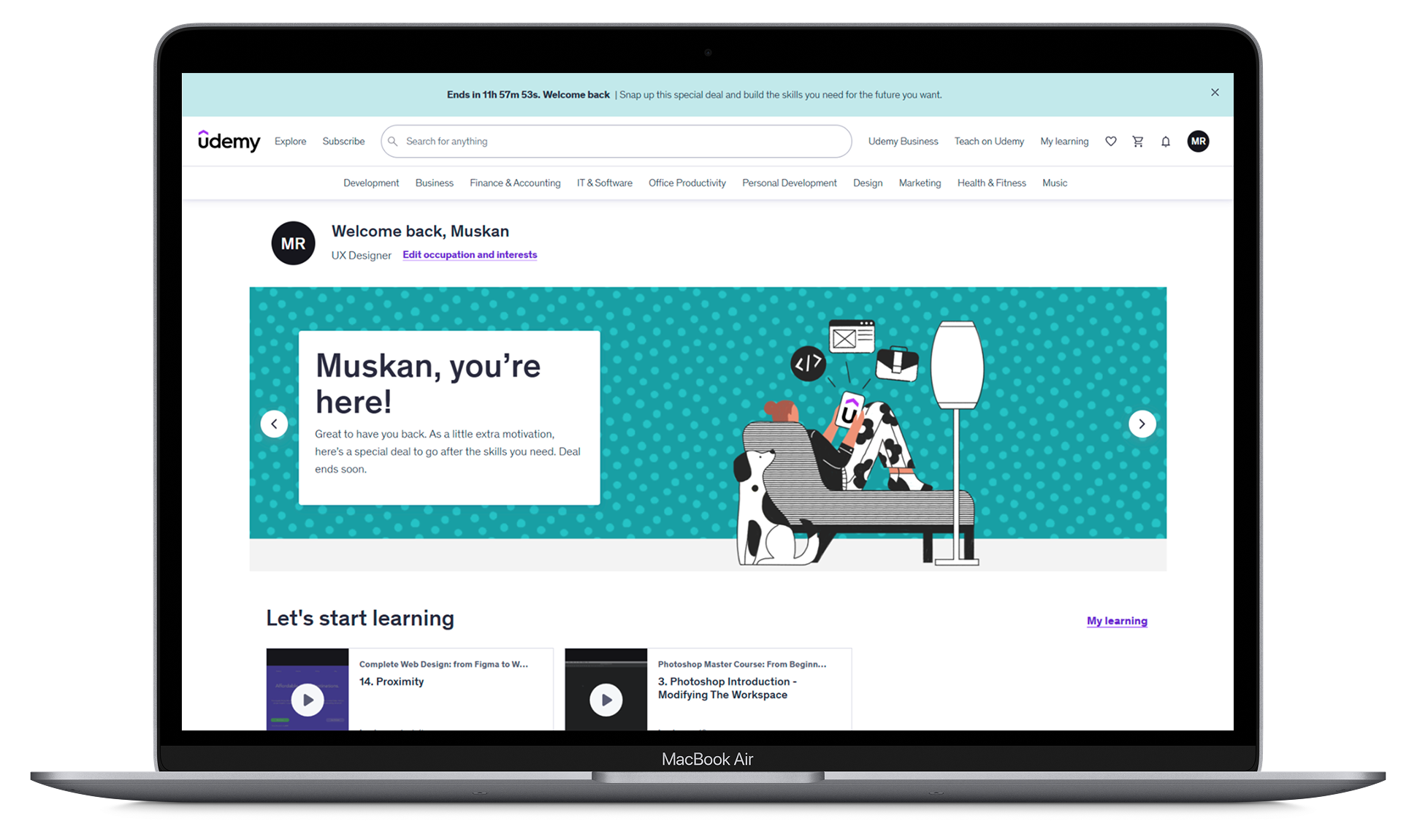
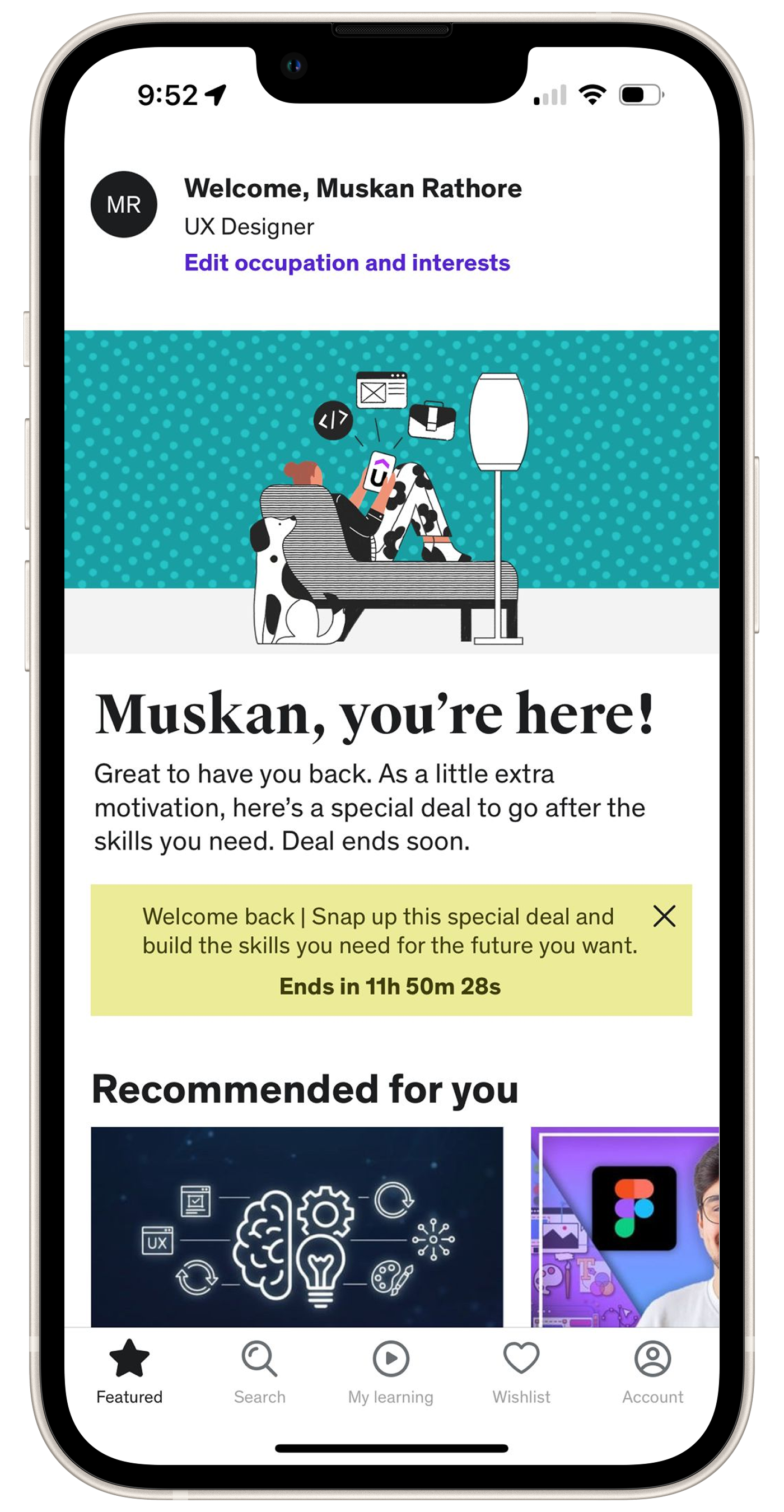
The objective was to improve:
Help learners stay motivated after enrolling in a course by making progress more interactive, rewarding, and easier to sustain.
The goal was to encourage active learning through short quizzes, instant feedback, and a points-based reward system that supports course completion.
A Quick Peek Into the Solution
Added short quiz checkpoints after course modules
Introduced points for quiz completion and correct answers
Created clear reward-progress visibility
Delivered instant feedback to reinforce learning
Connected earned points with discounts and future course incentives
Current State

Desired/Preferred State
GAP
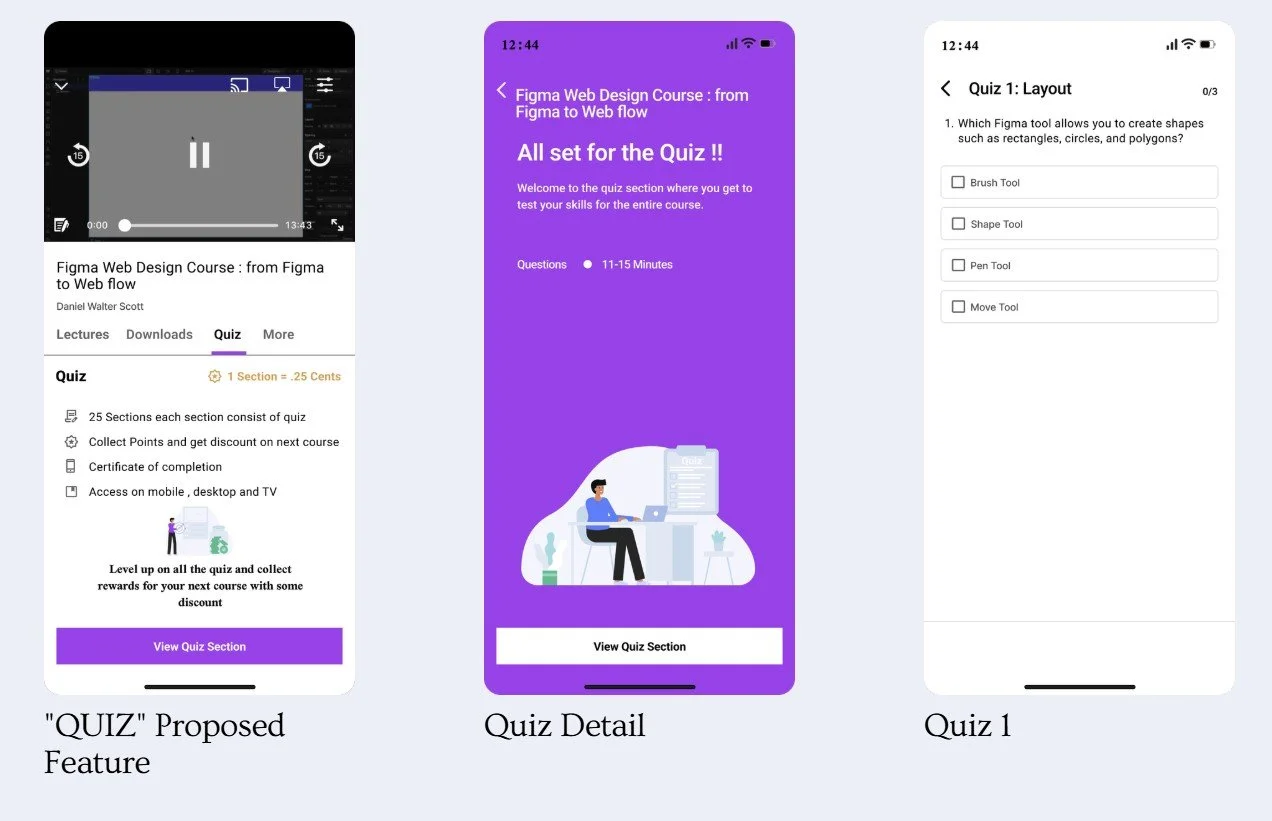
Proposed Feature: Quiz with Rewards.
What Was the Gap?
Notes , Q&A, Downloads, Revies, Announcements
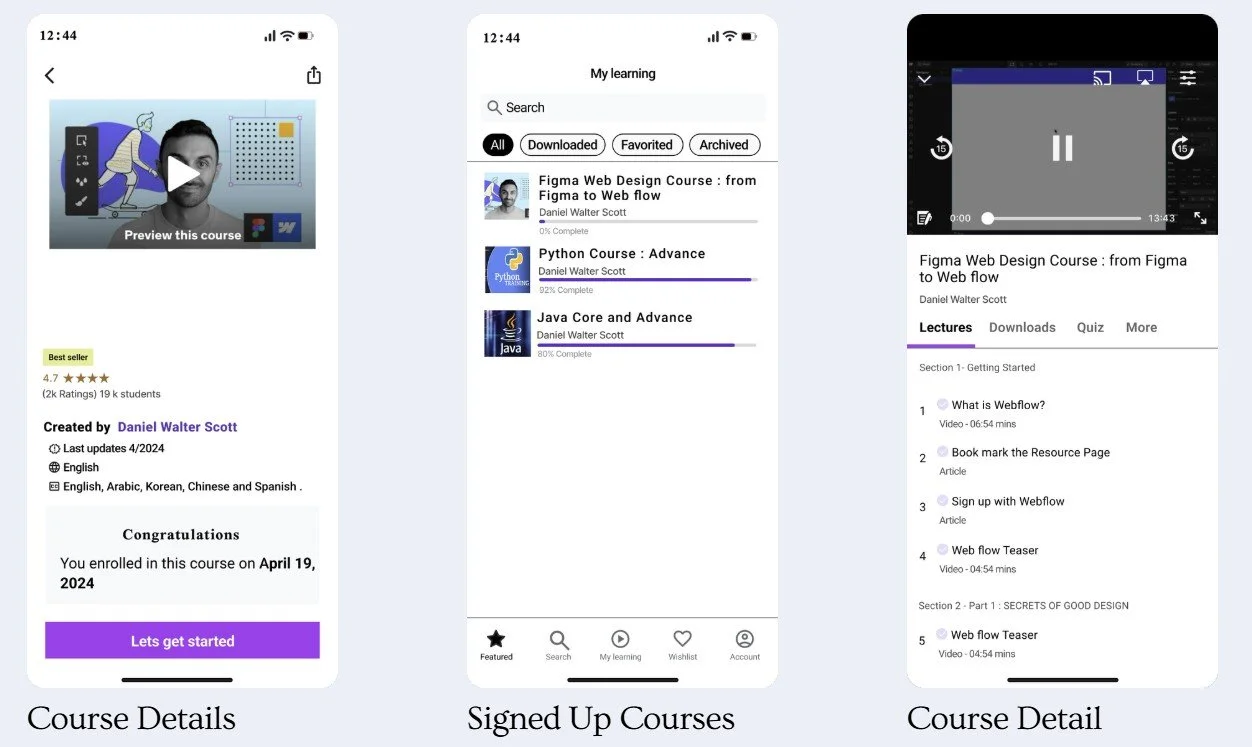
The existing learning journey focused mainly on watching videos and tracking completion. Learners had limited motivation to pause, test their understanding, or continue after losing momentum.
Tracking Users Growth
Findings

User’s Success Track , User Engagement
Key gaps included:
Passive learning experience
Low motivation after course enrollment
Limited feedback during lessons
No meaningful reward for progress
Course completion did not feel engaging or achievable
{
User Engagement

The quiz reward system creates value for both learners and the platform.
Encourages active participation instead of passive video watching
Helps learners remember and apply key concepts
Makes course progress feel more rewarding
Increases motivation to return and continue learning
Supports higher course completion and engagement
Creates opportunities for repeat course discovery and purchases
How Will the Solution Benefit Udemy?
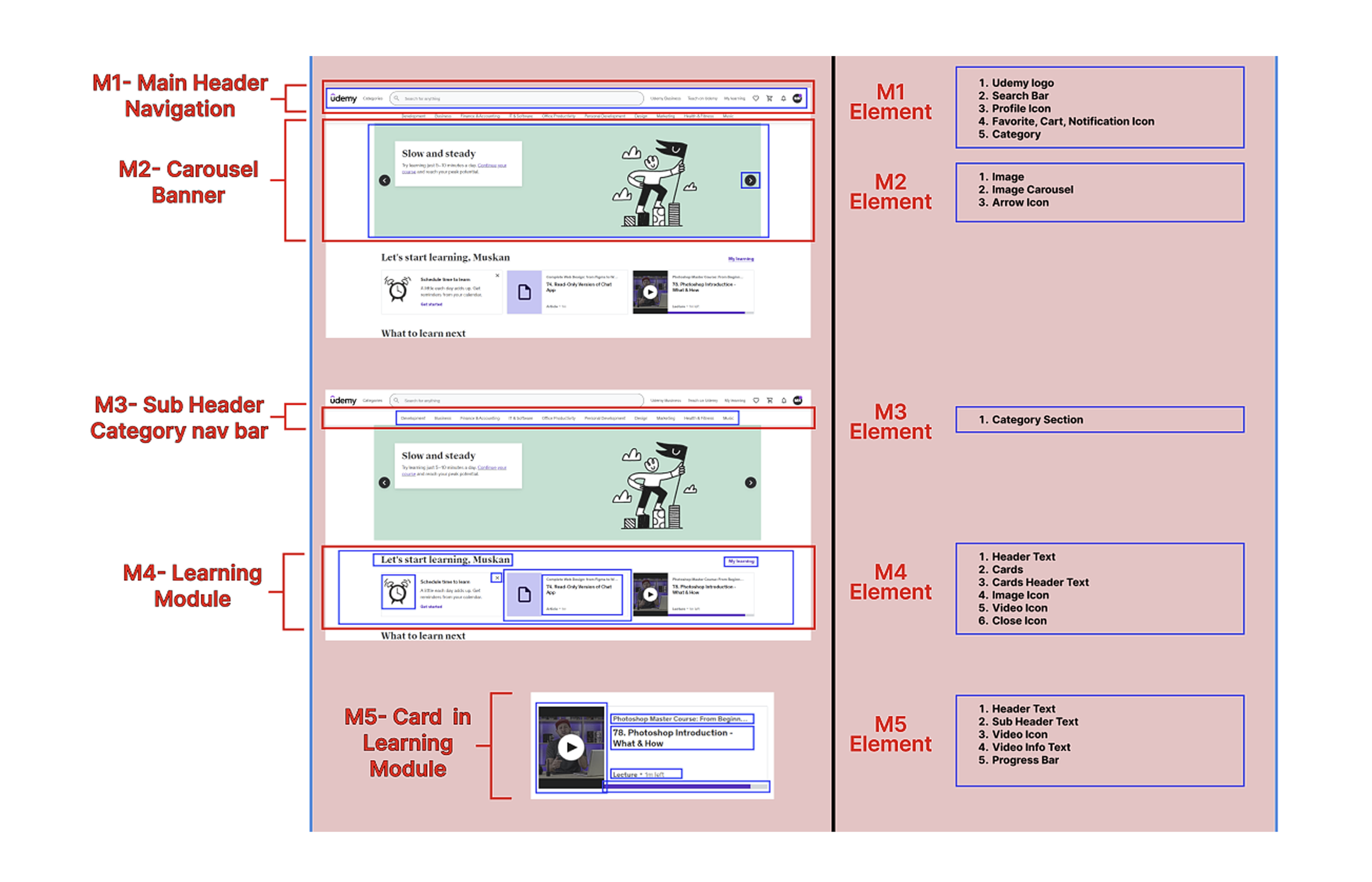
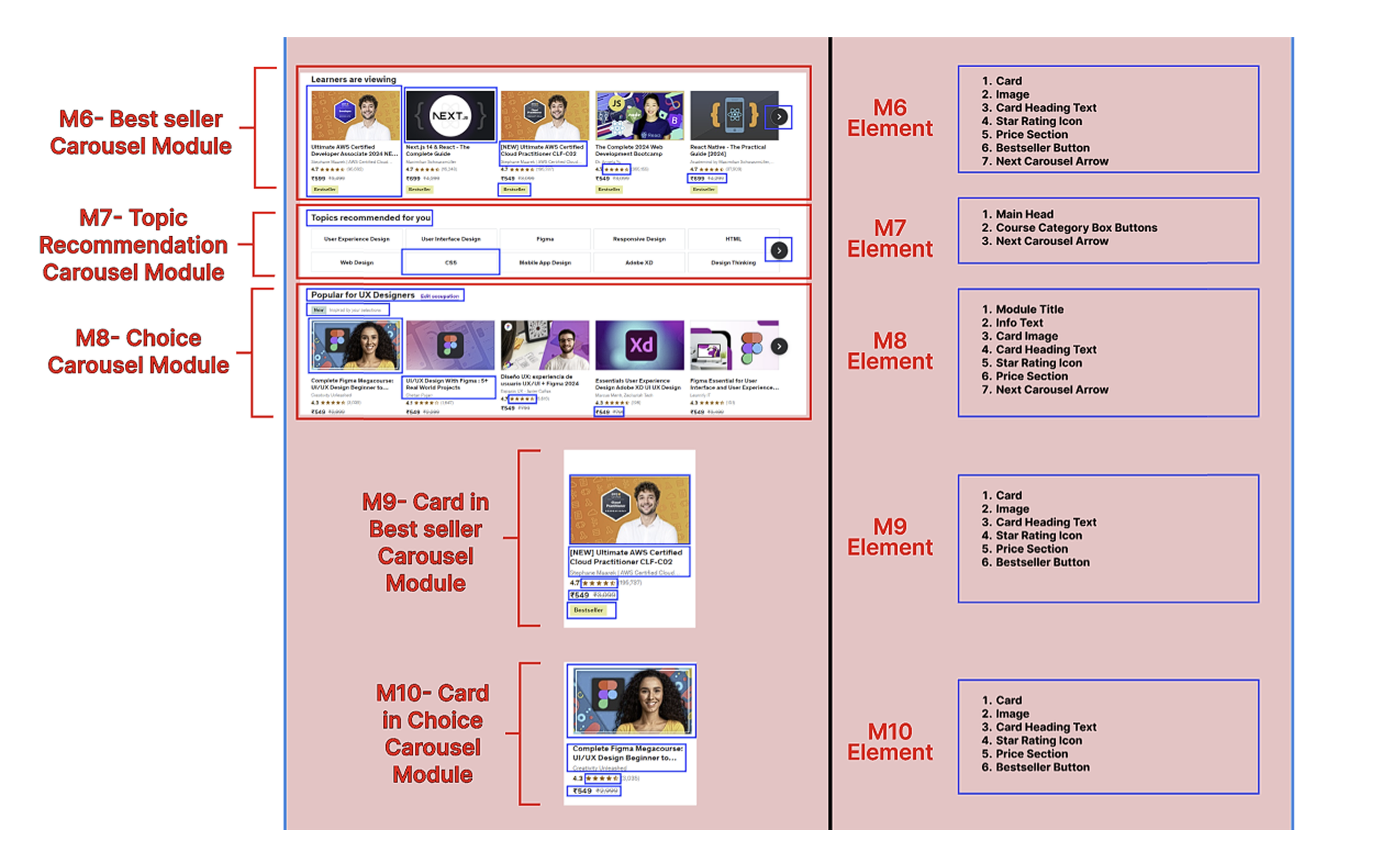
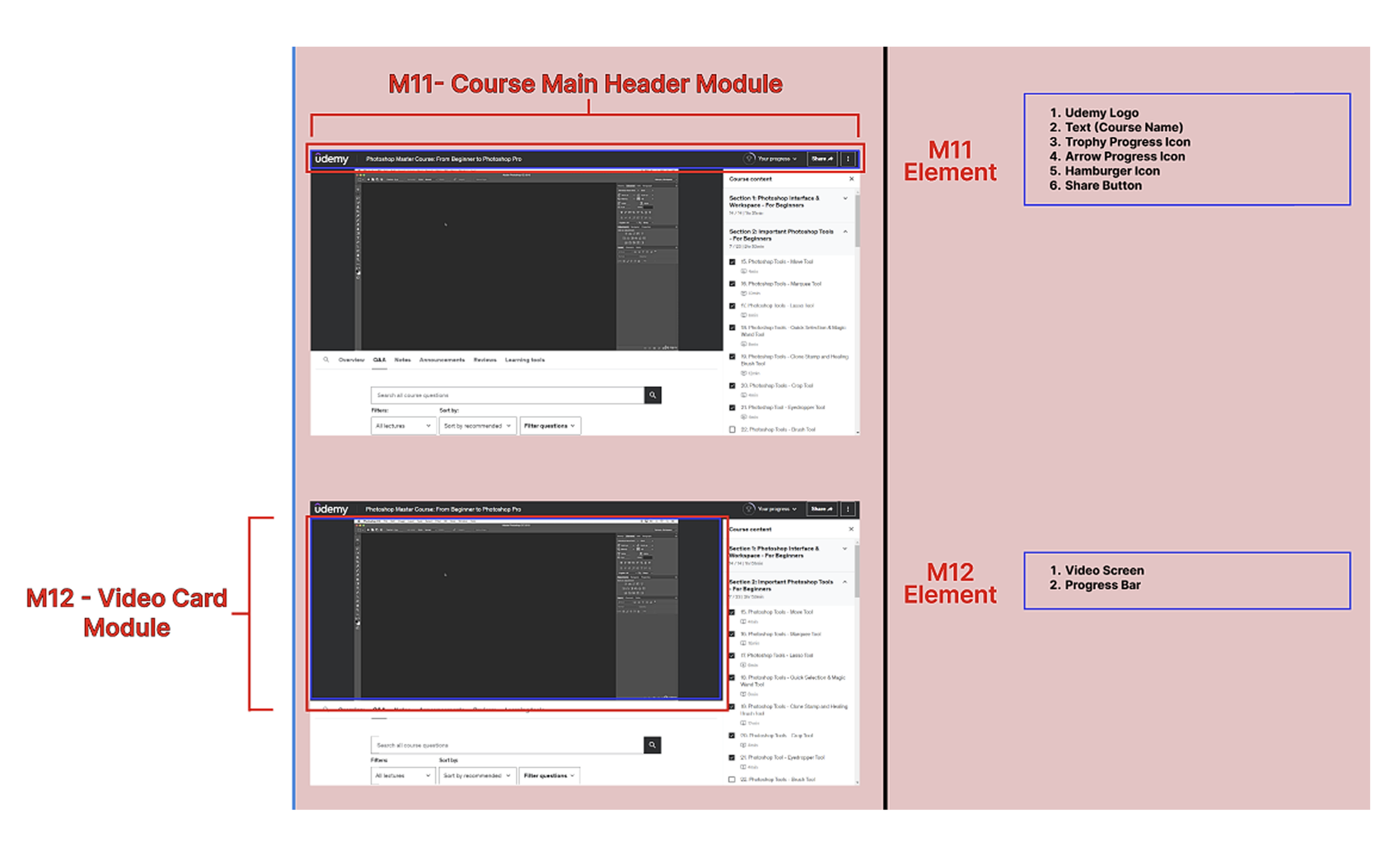
Understanding Information Architecture in
2 Aspects :
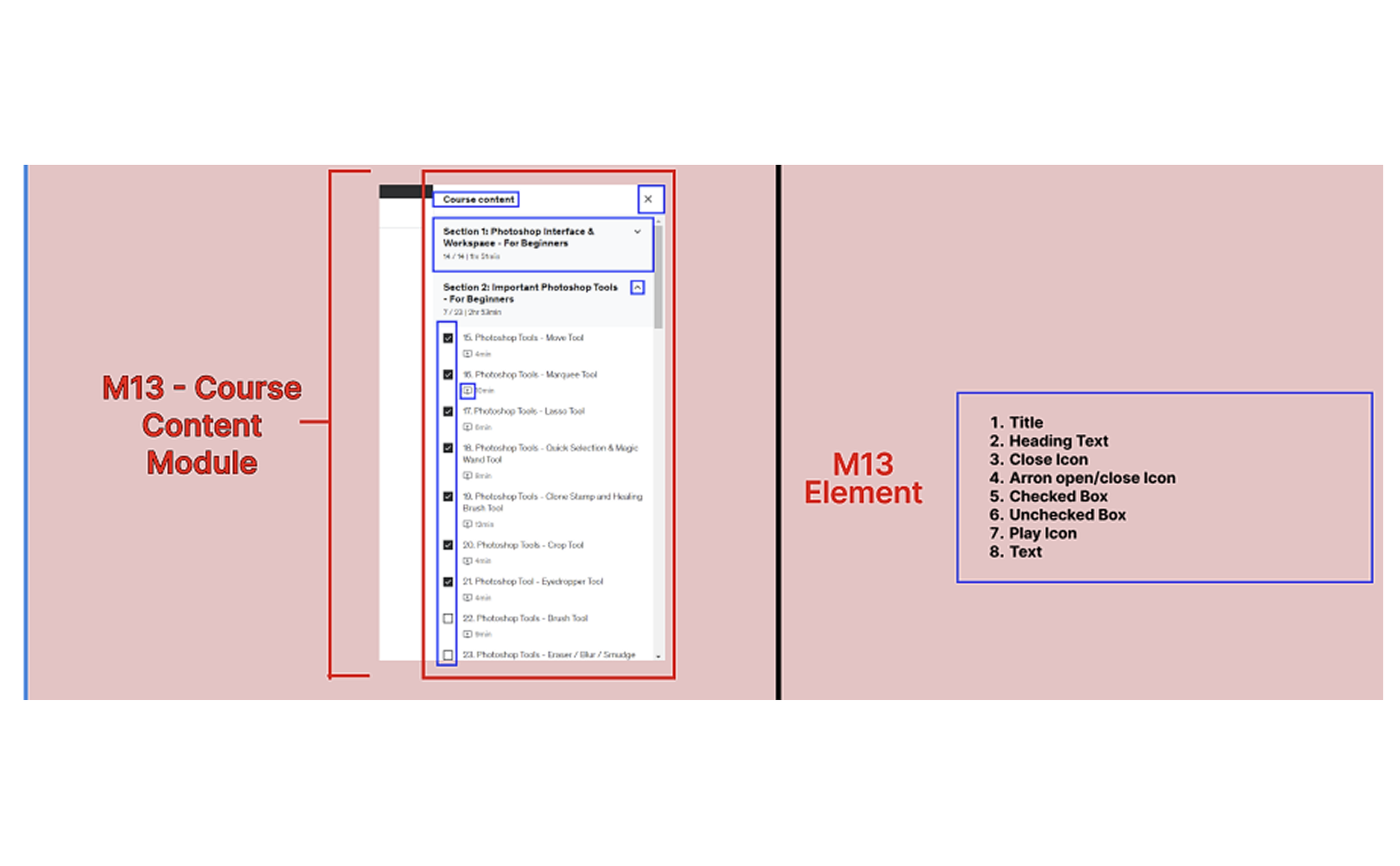
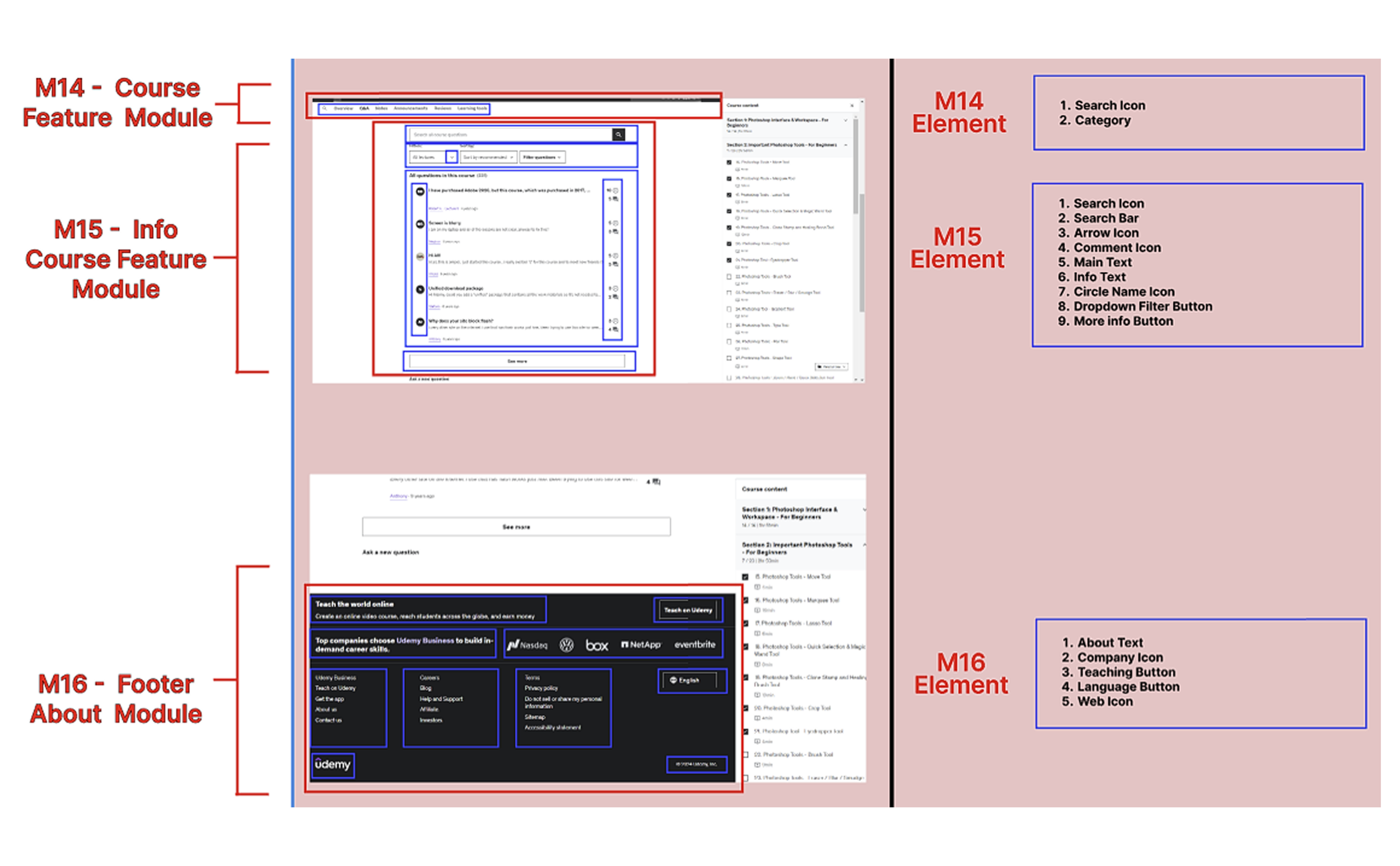
Modules
The main building blocks of the learning experience.
Name
Purpose
Type: Navigation, Content, Feature, Utility, Footer
Elements
The individual components placed inside each module.
Content: Text, images, videos
Interactions: Buttons, forms, inputs
Navigation: Links and menus
Metadata: Labels and tags
-
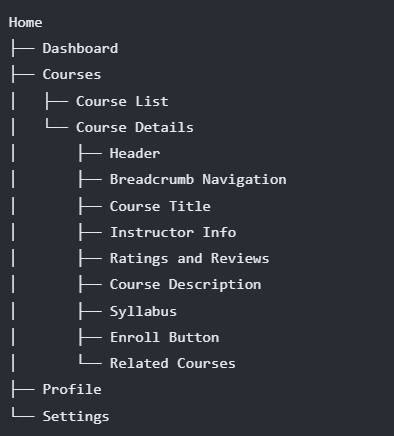
1. Hierarchical relationships:
How modules contain elements or other modules.
”Sitemap Hierarchy” -
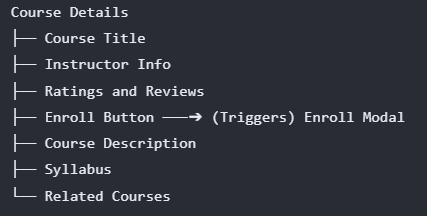
2. Associative relationships:
Illustrate how elements or modules are related to each other (e.g., a button triggers a modal window).
”Flow Diagram ” -
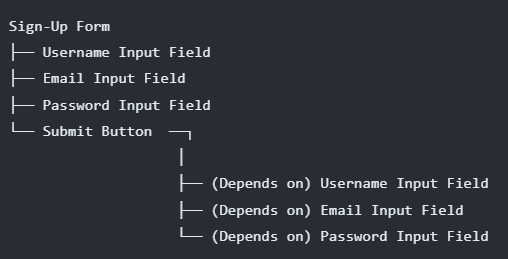
3. Dependency relationships:
Highlight how elements or modules rely on each other (e.g., a form relies on a specific input field).
”Component Diagram”
Understanding Information Architecture in 2 Aspects :
Module
Element
Existing vs. Proposed Feature
B
E
F
O
R
E
1. Current Course Features
2. Proposed Course Feature“ QUIZ”
Udemy courses include Q&A, announcements, reviews, notes, overviews, and learning tools. Each course section has a brief description on the right side, showing what learners will learn.
A
F
T
R
E
About the feature:
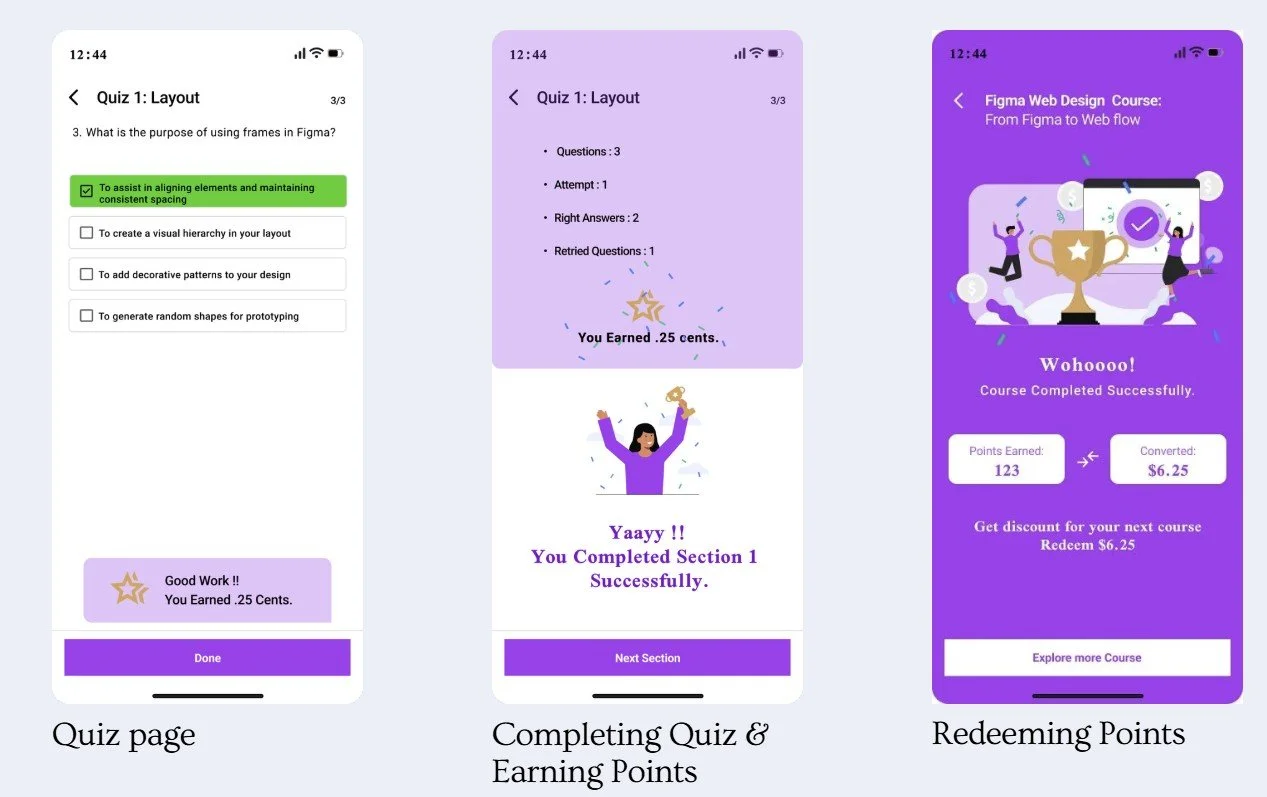
Each course section has a quiz.
Each completed quiz gives 5 points.
Points turn into discounts on future courses.
Example: 25 quizzes = 125 points = $6.25 off the next course.
Discounts apply automatically at checkout.
Watch Lesson
↓
Take Quiz
↓
Receive Feedback
↓
Earn Points
↓
Continue Learning
Benefits:
More engagement: Encourages quiz completion and app use.
More purchases: Rewards encourage buying more courses.
Progress tracking: Points and scores show learning progress and success.

Watch Lesson
↓
Mark Complete
↓
Move to Next Lesson

Low-Fi Design Direction
The design explored how the quiz reward feature could feel simple, motivating, and consistent with Udemy’s learning environment.
-
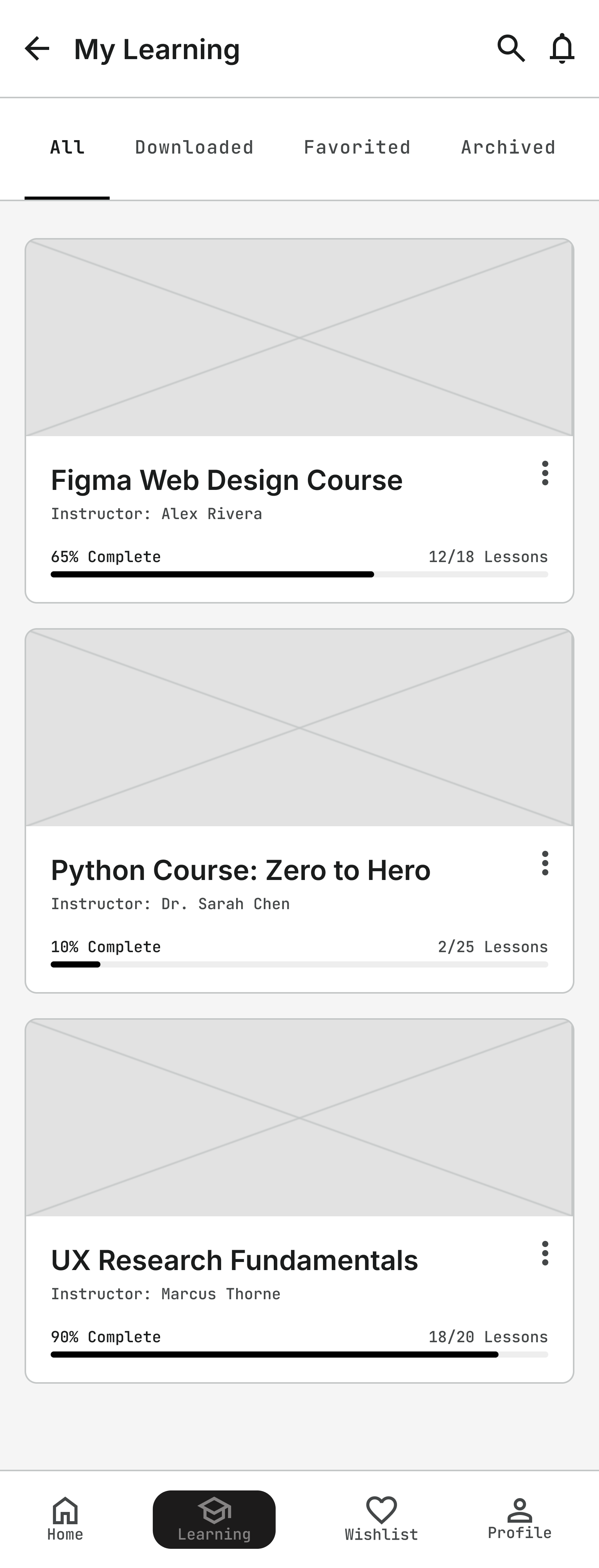
Select Course
-
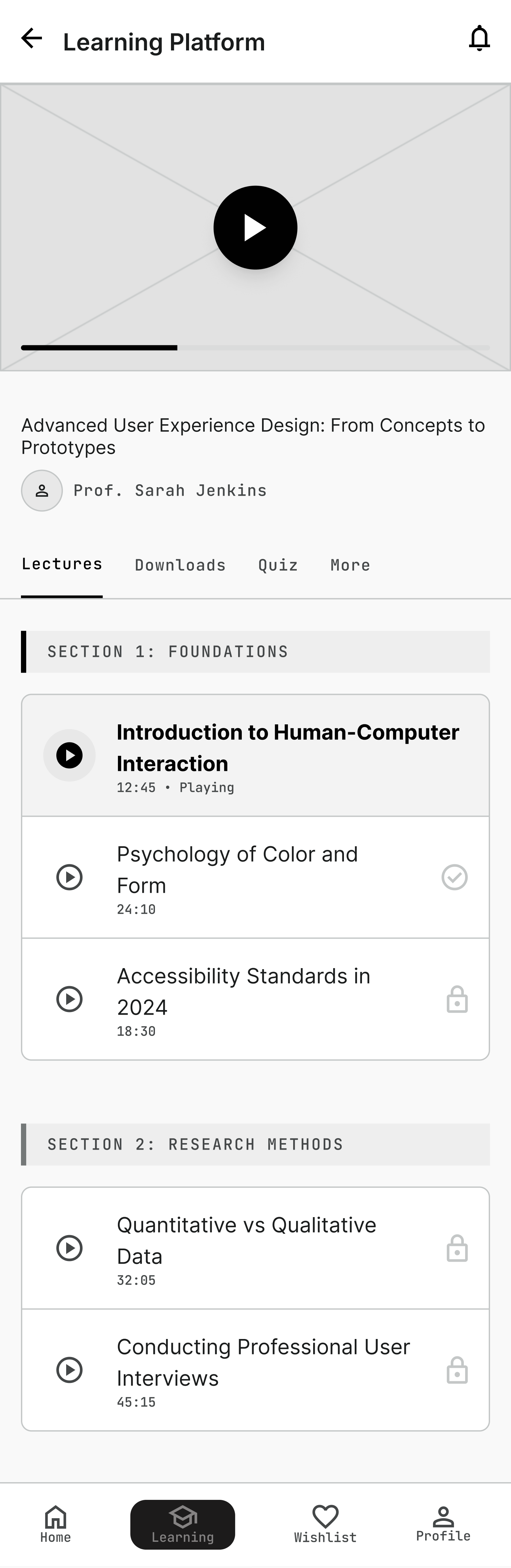
Start Quiz Select 1st section
-
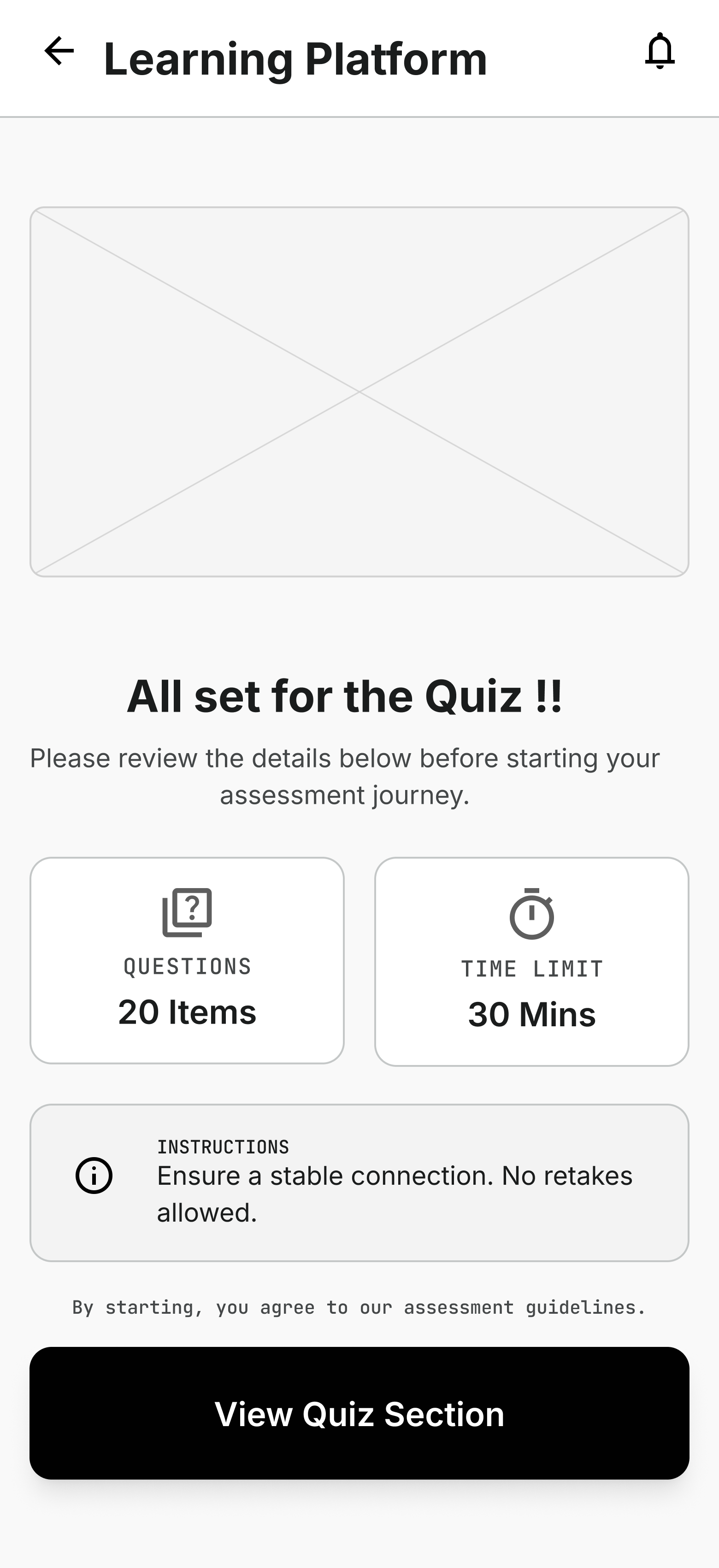
Description goes here
-
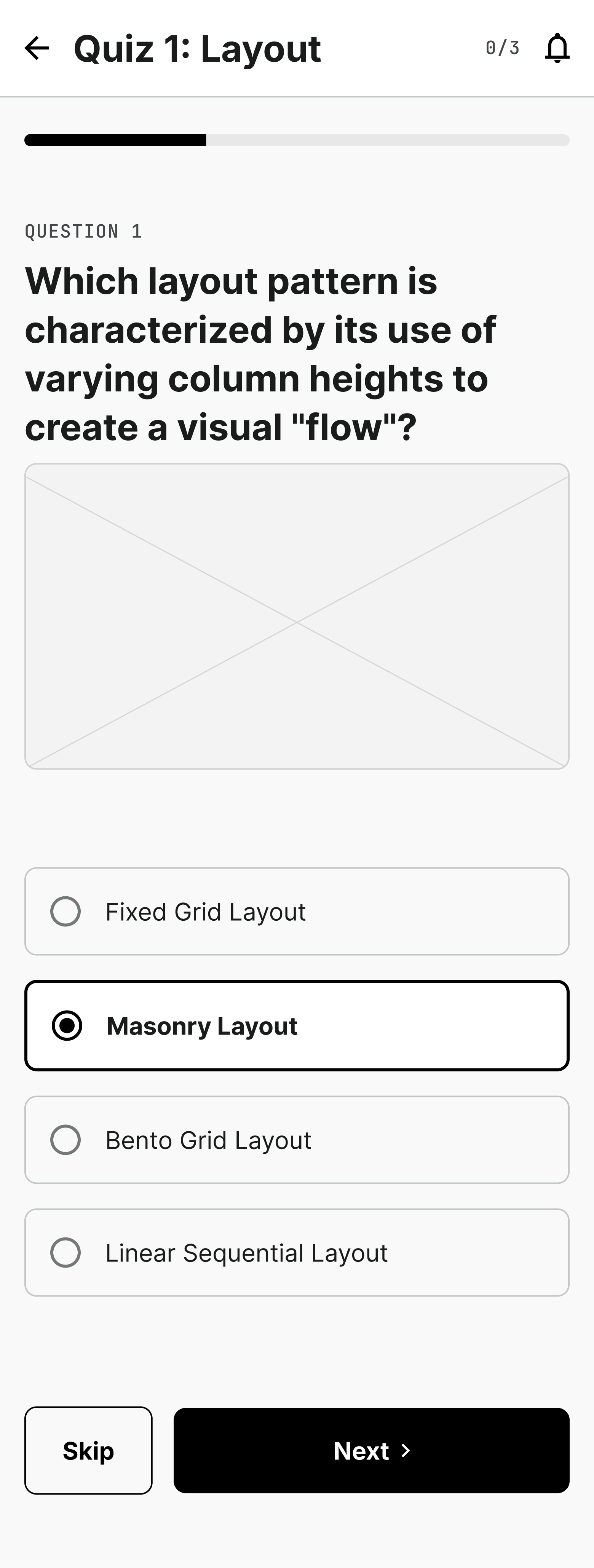
Answer questions
-
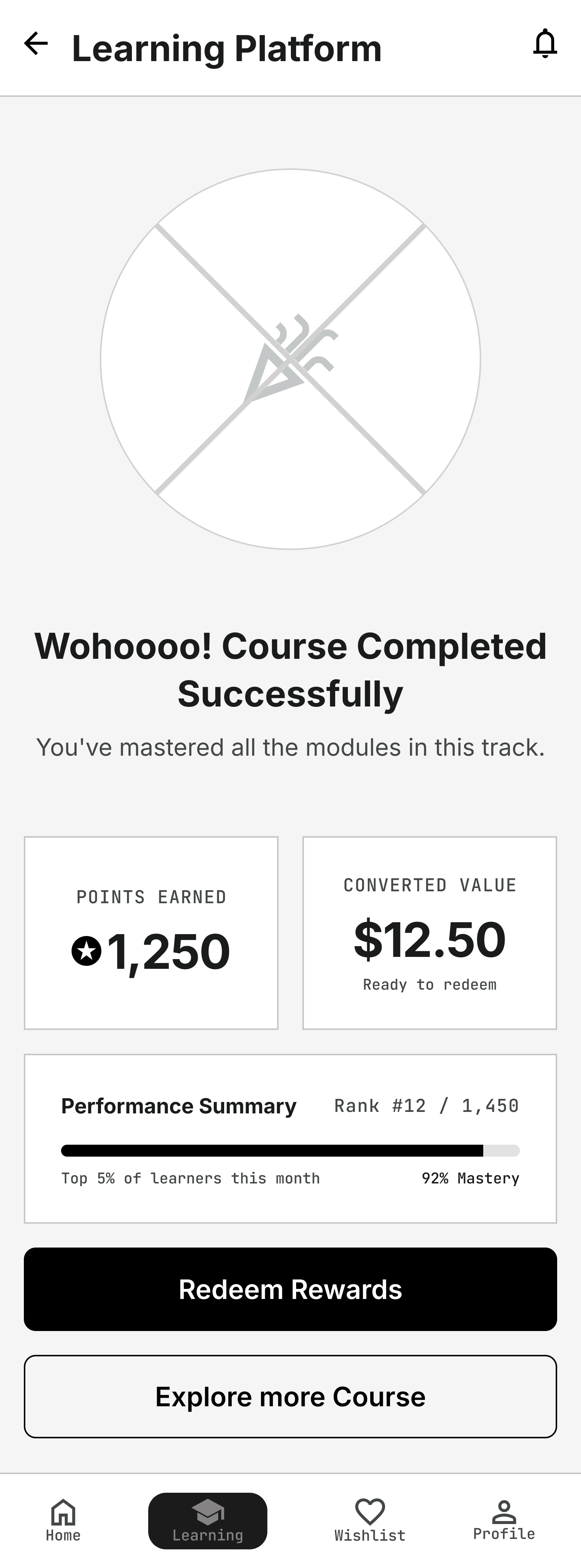
Earn Reward and convert it into
User Testing & Research Methodology
Participants were asked to:
Complete a lesson
Find and begin the quiz
Answer quiz questions
Understand feedback and earned points
Check their reward progress
Continue to the next learning module
Remote Testing Dynamics
Uses Zoom so participants can access the site from their usual places.
Mirrors real-world use to give a realistic test of the site's usability.
Participants & User Testing Environment
How did we conduct our tests?
Technical Requirements
Required equipment: stable internet, computer or phone, and Zoom.
Ensures all participants can join and use the test without technical problems.
Comfort and openness
Created a relaxed setting that encourages honest feedback.
Seeks real user interactions with the site to get true usability insights.
Success rate
Overview of task: The prototype was tested with learners in a moderated usability-testing environment.
Task 1 : Find recommendation/ personalization /career goal on Home page.
Task 2 : Can you search for “Figma Web Design course “ and get a overview and after that can you buy it ( un paid )
Task 3: Can you go on the course that you just purchased ... click on that.
Conclusion
The quiz reward system helped make Udemy’s learning experience more interactive, motivating, and goal-driven.
K
E
Y
F
I
N
A
L
I
M
P
A
C
T
O
U
T
C
O
M
More Engagement
Learners felt more encouraged to participate instead of only watching videos.

Better Course Completion
Short quizzes and rewards gave users a reason to continue learning.



Higher Motivation
Users liked earning points and seeing progress toward discounts or rewards.
3× increase in engagement
60% more users completed courses
85% of users felt more motivated
Users understood their progress more clearly
Rewards made the learning journey feel more valuable
“This project showed that learning becomes stronger when users are not just watching content, but actively practicing, getting feedback, and feeling rewarded for their progress.”
E
By combining quizzes, feedback, and rewards, the experience encouraged learners to stay engaged and complete their courses with more confidence.
Click on the button to View 1-page Brief of IA Udemy Redesign